
How are different states of productions, outputs, and destinations communicated in the Live Video Cloud user interface? What do the LEDs mean? How do I see that an error occurred?
LED status
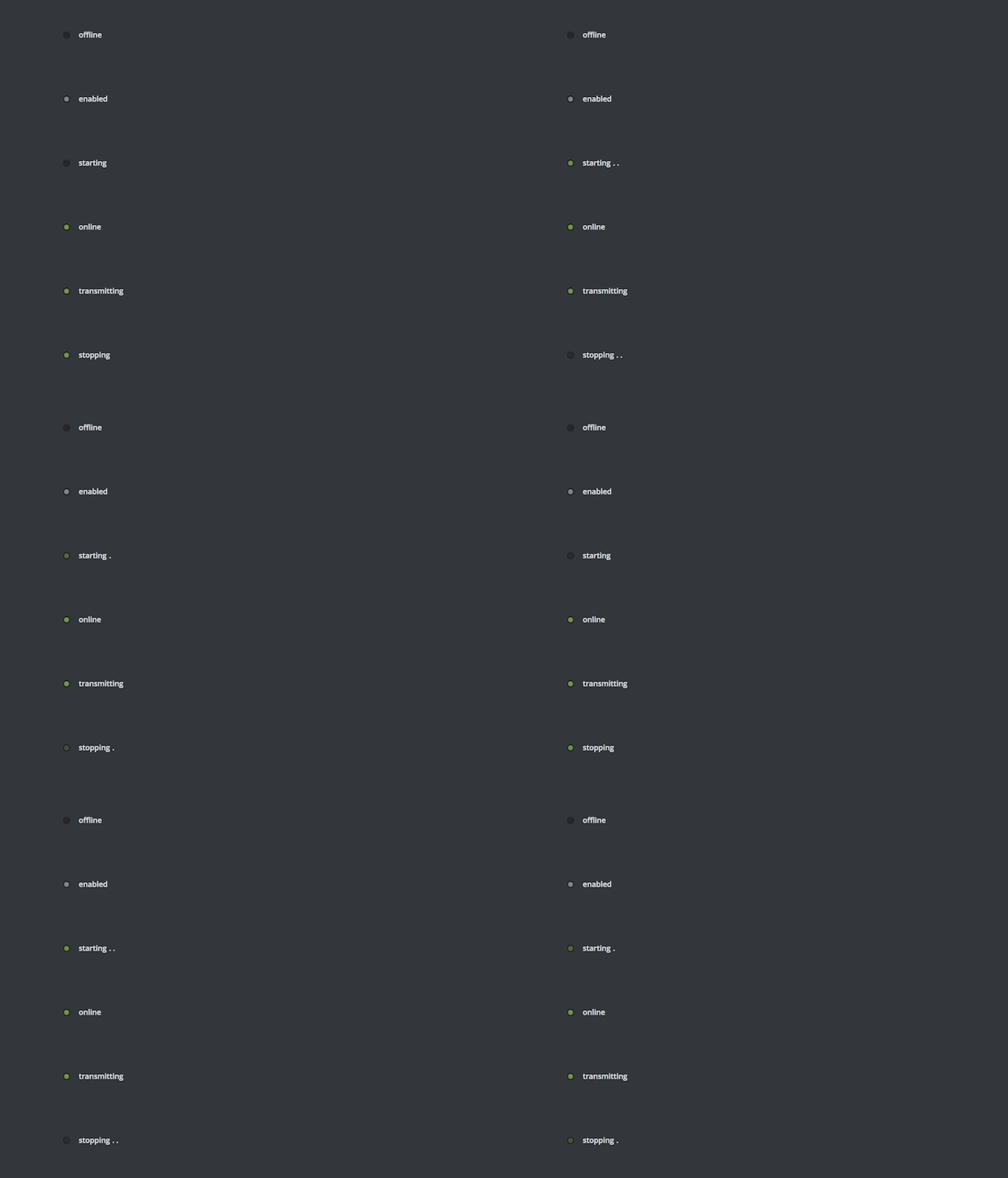
| Status | Description | Relevant for… |
|---|---|---|
|
Offline |
The object is currently offline and can not be used for streaming purpose. |
Inputs, productions, outputs, resource locations, destinations |
|
Enabled |
The object is offline, but enabled, meaning as soon as its parent element goes online, this element will go online as well. |
Resource locations, destinations |
|
Starting |
The object is currently starting, meaning the system is in the process of requesting the required engines and getting them up and running. This process may take several minutes depending on the object and configuration. |
Inputs, productions, outputs |
|
Online |
The object is online and working fine. |
Inputs, productions, outputs, resource locations, destinations |
|
Transmitting |
The object is currently transmitting data to its destination. This status is only relevant for destinations. |
Resource locations, destinations |
|
Stopping |
The object is in the process of shutting down. It can not be used for streaming purpose. |
Inputs, productions, outputs |
Error Status
Recognized issues are communicated separately from the cloud engine status by displaying an error symbol next to the LED. Further error information is available by selecting the element and looking at the status information within the inspector.