
About: Outputs are used for live signal distribution and optional processing like format change, PID selection, and adding graphical overlays. Outputs provide real-time connectivity metrics on the live distribution of signals.
Output view
To open the outputs view:

- In the top navigation, click on "Outputs".
The outputs view consists of three main areas:
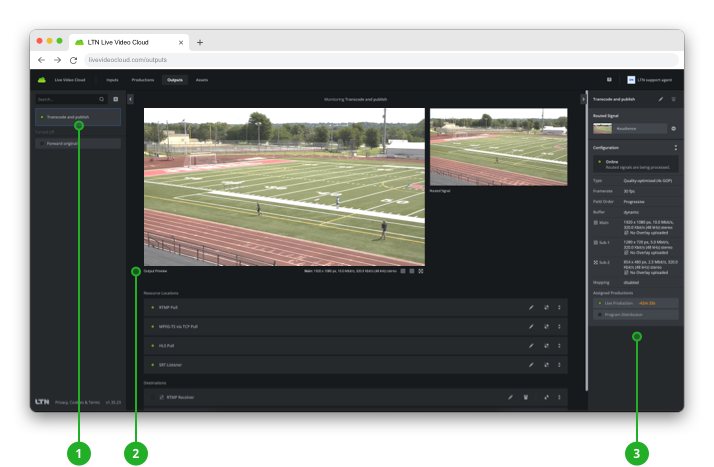
- Output selection: Lists all configured outputs for selection.
→ Learn how to select outputs. - Output monitoring: Displays visual previews of the routed and distributed signals as well as status and configuration information on resource locations and destinations. If the website overlay is configured control panel will be shown additionally.
→ Learn how to monitor outputs. - Inspector: Displays configuration information of the output or any selected element.
→ Learn how to inspect outputs.
How to continue?