
About: Stream mapping allows removing or reassigning packetized elementary streams of a routed MUX to specific PIDs.
Not sure how to start?
→ Learn how to create outputs.
→ Learn about MPEG transport streams.
Configure stream mapping
Mappings that are configured in the stream mapping tab of the output dialog affect all destinations and resource locations of the respective output. Destinations and resource locations with overrides enabled ignore this configuration.
To configure stream mappings, edit an output:
- Go to "Stream Mapping".
- Enable stream mapping.
- Add a new mapping entry by pressing “Add Mapping”.
- Incoming: Specify an incoming stream packet which can be:
- PID-based (The identification number of the packetized elementary stream.)
- Enumeration-based (first video, second video, etc.)
- Outgoing: Specify an action or target PID for the outgoing stream packet:
- Target PID: assign a new identifier for an incoming stream as it leaves Live Video Cloud
- Preserve: keep the incoming stream
- Drop: remove the incoming stream
- (Optional) Press to remove an existing mapping.
- Specify what happens with all the unmapped streams. Choose between drop or preserve.
Configure overrides
The above-configured stream mapping can be overwritten per resource location and destination. Overrides can be used without setting up an initial stream mapping configuration.
→ Learn more about stream mapping and protocol limitations.
RTMP, HLS, social platforms using RTMP
To configure stream mapping overrides for RTMP, HLS, and social platforms using RTMP:
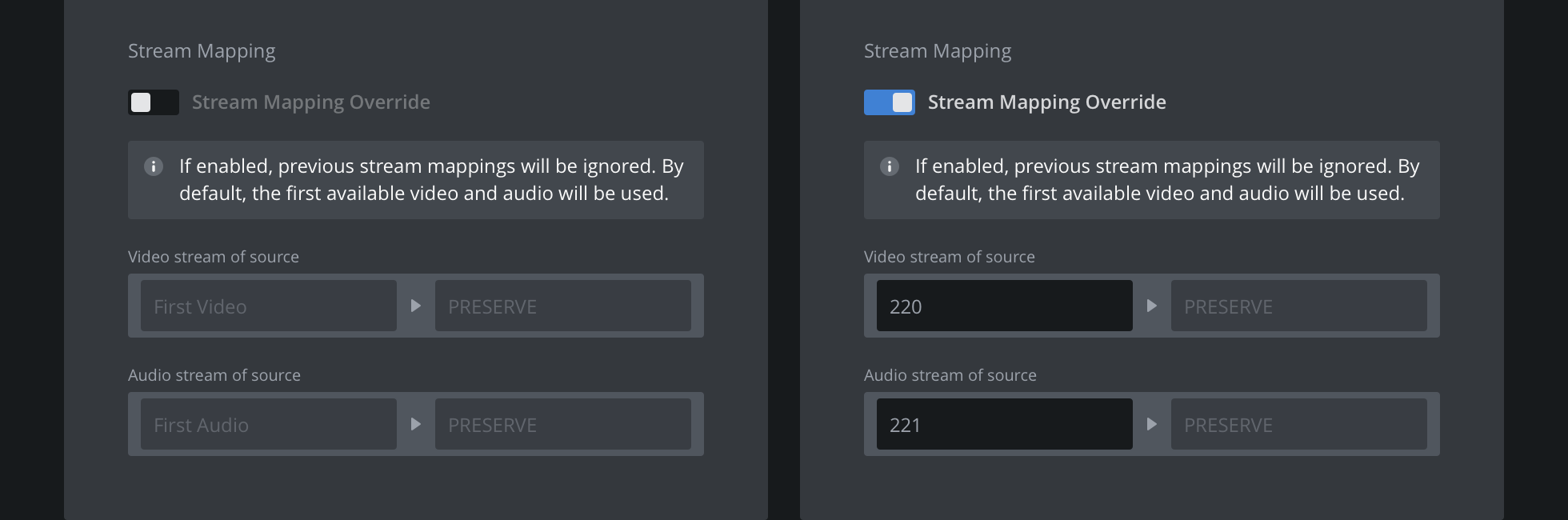
- Enable stream mapping override
- Specify an incoming video stream to be preserved
- Specify an incoming audio stream to be preserved
MPEG-TS via TCP, SRT
To configure stream mapping overrides for MPEG-TS via TCP and SRT:
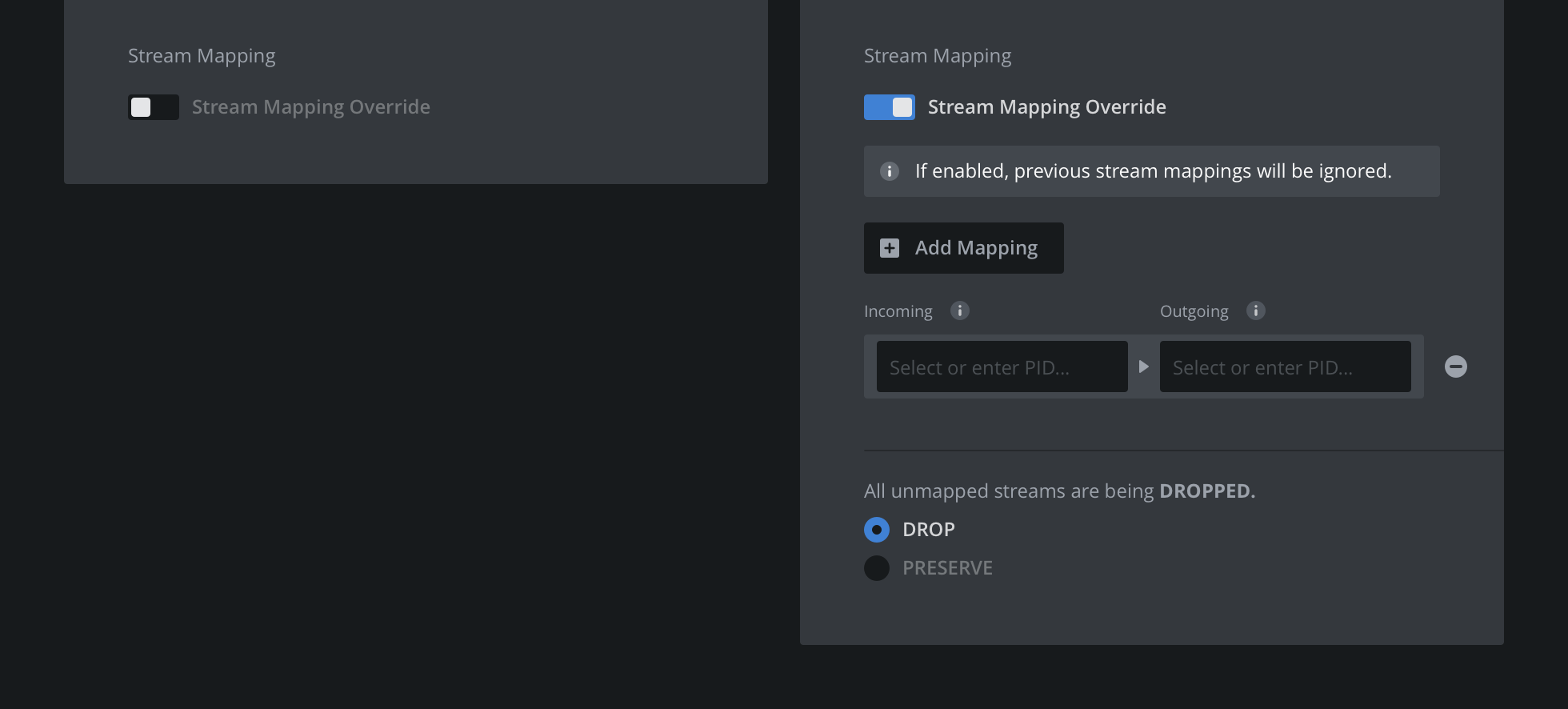
- Enable stream mapping
- Add a new mapping entry by pressing “Add Mapping”.
- Incoming – Specify an incoming stream packet which can be:
- PID-based
- Enumeration-based (first video, second video, etc.)
- Outgoing – Specify an action or target PID for the outgoing stream packet:
- Target PID: assign a new identifier for an incoming PES as it leaves Live Video Cloud
- Preserve: keep the incoming stream
- Drop: remove the incoming stream
- (Optional) Press to remove an existing mapping.
- Specify what happens with all the unmapped streams. Choose between drop or preserve.
How to continue?
→ Learn about monitoring outputs.