
About: Any configured stream mapping is getting evaluated and executed in real-time per destination and resource location of the respective output.
Not sure where to start?
→ Learn how to monitor outputs.
→ Learn how to configure stream mapping.
Monitor stream mapping
Live Video Cloud provides information about the status of stream mappings in two locations.
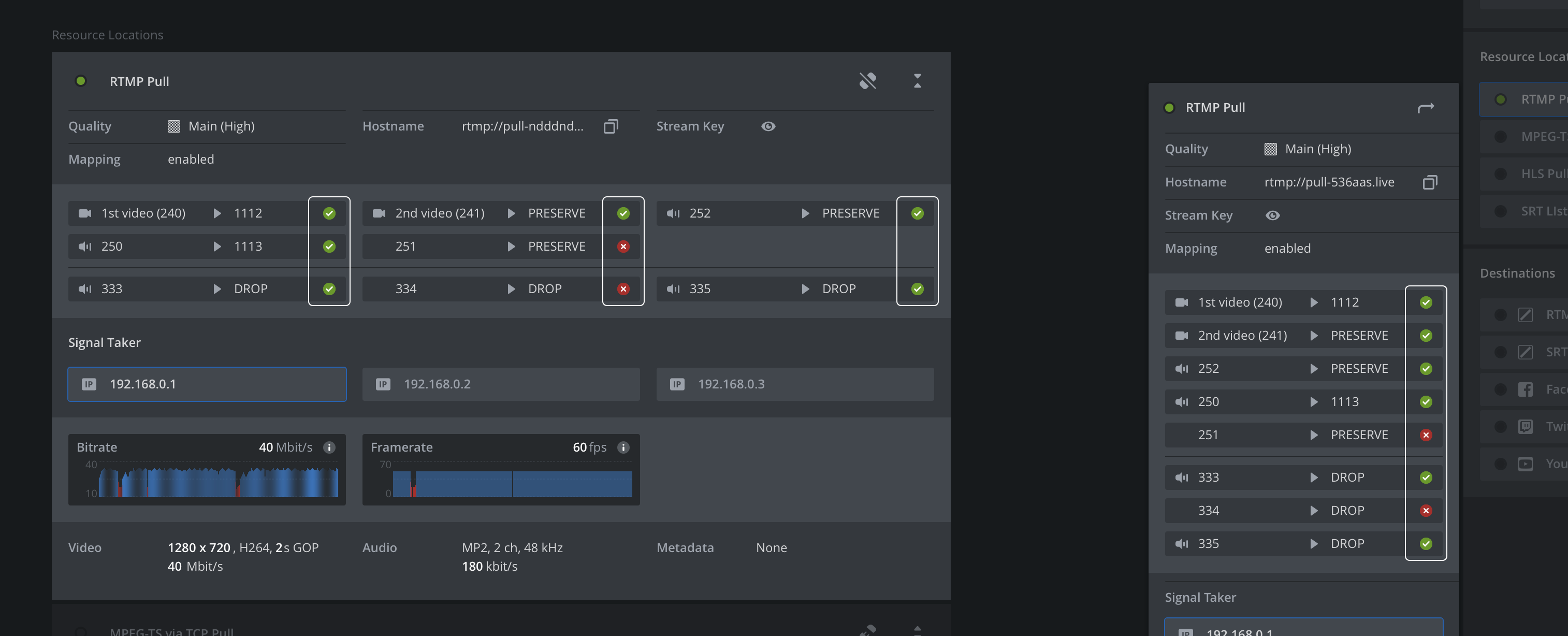
- The output view provides the status of stream mappings per destination and resource location. Click on a destination or resource location to expand/collapse and get further information or a more compact view.
- The output inspector, e.g., accessible via selecting an output within the production view, lists all destinations and resource locations. Click on one to open the respective flyout and see a list of all mappings incl. their status.
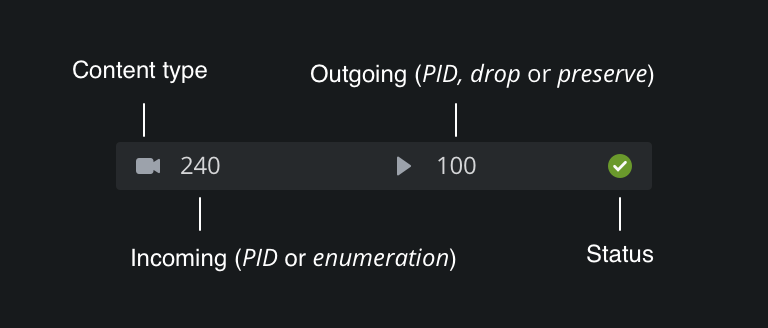
Each individual stream mapping can be in one of two possible states:
 |
The mapping configuration was successfully executed. |
 |
The system was not able to execute the configured mapping. |
For unsuccessful mappings, place your mouse over the error icon to get further information on why the system was unable to execute the defined configuration:
- ErrNoSuchSource is raised if the source of a mapping does not exist
- ErrTargetOccupied is raised if a target is used with a more specific mapping
- ErrDuplicateMapping is raised if a more specific mapping is effectively the same
- ErrSourceDropped is raised if a source was already dropped due to a prior mapping
- ErrMaxAudioEncodings is raised if the maximum number of audio encoders was reached
- ErrMaxVideoEncodings is raised if the maximum number of video encoders was reached
- ErrInternal is raised for any other error encountered while processing mappings