
About: Edit a user to change its permissions or access credentials.
Not sure how to start?
Edit a user
To edit a user:
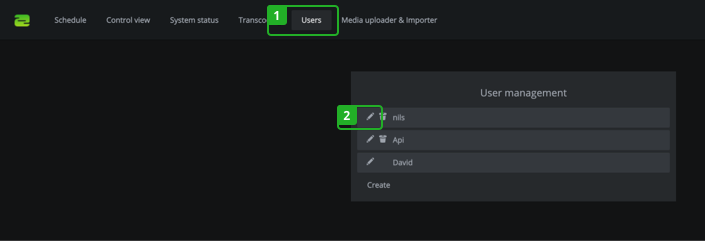
- Switch to the "Users" tab in the navigation.
- Click edit next to the username.
In the dialog:
- Make your changes.
→ Learn to create new users.
→ Learn about user roles and permissions. - Click "Update" to save your changes.
How to continue?
→ Learn how to create a new user.
→ Learn how to change your password.