
About: Edit playlist elements to change metadata, trim and loop, and add ad break events.
Not sure how to start?
→ Learn how to build a playlist.
Edit an element in the playlist
To edit an element in the playlist:
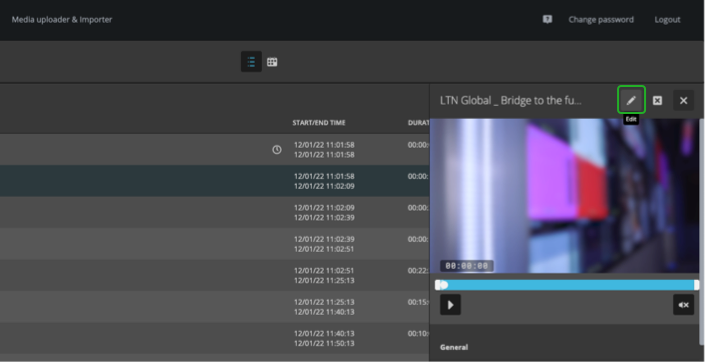
- Select a playlist element.
- Click "Edit" in the inspector at the right.
In the appearing dialog:
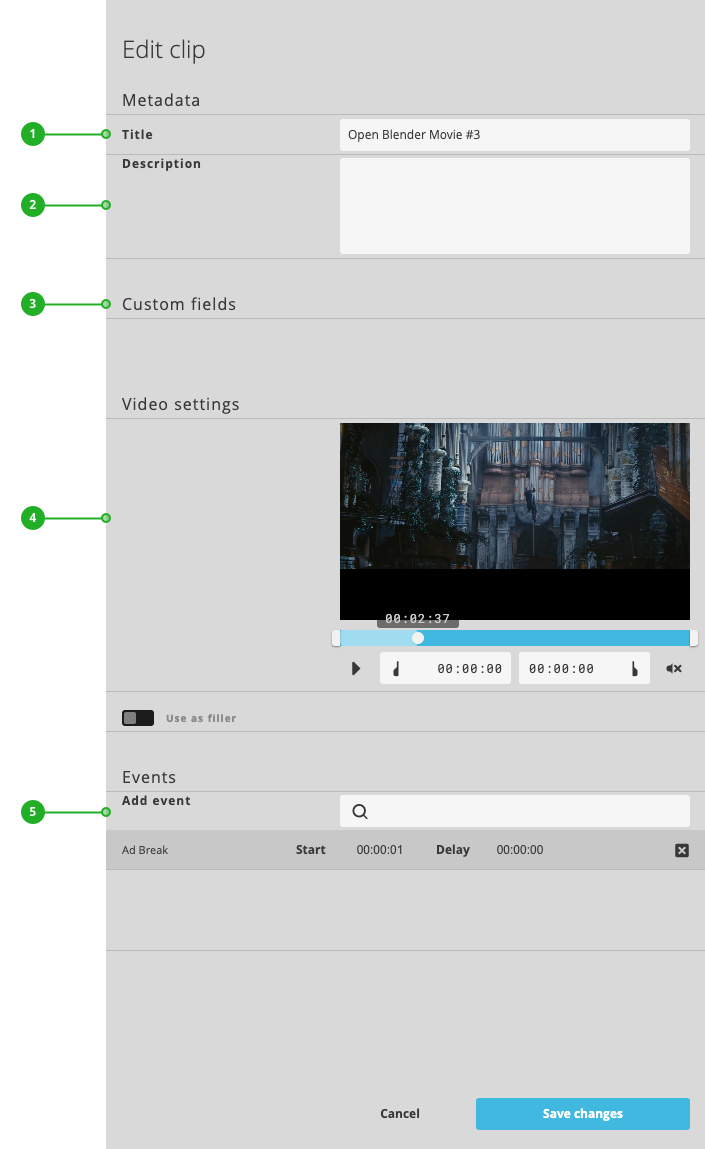
- Title: Edit the title.
- Description: Edit the description.
- Custom fields: Displays assigned custom fields of the related library asset.
→ Learn about custom fields. - Video settings: Trim the video clip or configure a loop end date and time.
→ Learn to trim playlist elements. - Events: Add ad break events by selecting a preconfigured event from the list. Next, move the current-time indicator of the video player to the desired start time of the event. Finally, click on the event's start time to update it to the current-time of the video player.
→ Learn to manage events.
How to continue?