
About: Some resource location (outputs) types generate configuration information like URL, hostname, or stream key. This information is necessary to configure your external receiver to distribute signals from Live Video Cloud.
Live Video Cloud generates configuration credentials for the following resource location types:
Where to find generated credentials?
Option A: Outputs view
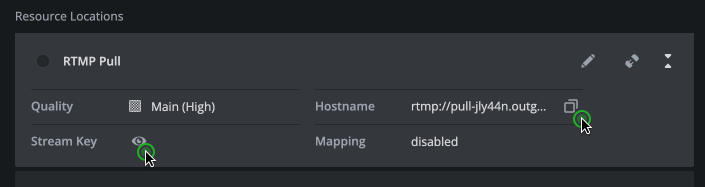
- Go to outputs.
- Select your output with a left-click.
- Take look at the stage in the center of your browser.
- Click on a resource location to expand it. Generated credentials are displayed here. Stream keys are initially hidden and become visible after clicking on the "Reveal" button.
- Copy credentials with the "Copy" button.
Option B: Edit dialog
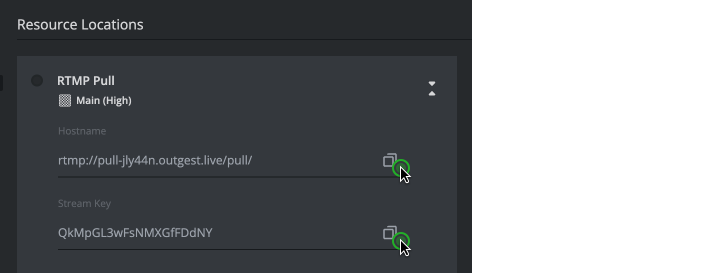
- Go to outputs.
- Place your cursor over the element you want to get credentials of and click the appearing "Edit" button.
- Or left-click on the element and click on the "Edit" button in the inspector in the upper right corner.
- Go to "Resource Locations".
- Click on a resource location to expand it.
- Copy credentials with the "Copy" button.
Option C: Productions view
An output that is already assigned to a production is displayed and accessible via the production's view.
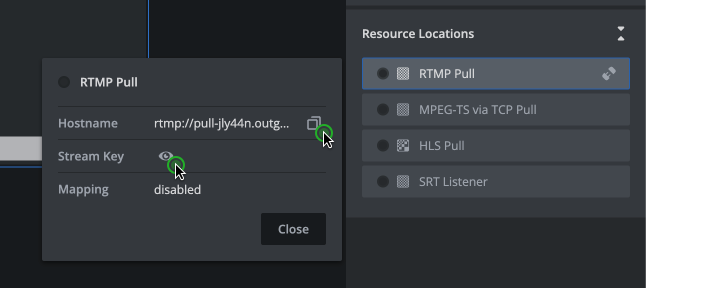
- Go to productions.
- Select a production the output is assigned to.
- Select the output by clicking on the preview box below the input multi-view.
- In the inspector, in the resource location section, left-click on your resource location.
- Generated credentials are displayed in the opened flyout. Stream keys are initially hidden and become visible after clicking on the "Reveal" button.
- Copy credentials with the "Copy" button.