
About: The setting "Remove past elements" removes played elements from the playlist after a specified time.
Not sure how to start?
→ Learn about general settings.
Auto-remove past elements
The option "Remove past elements" is available in the general settings. To use this feature the playlist-end needs to be set to "Stop Playlist".
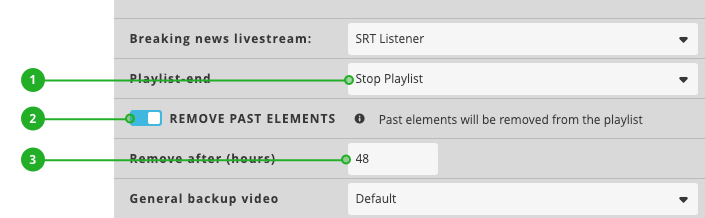
- Playlist-end: Make sure Playlist-end is set to "Stop Playlist".
- Remove past elements: Activate the switch.
- Remove after: Define the time in hours after which played elements should be removed.
How to continue?