For details on how to add specific Inputs see:
Add external libraries
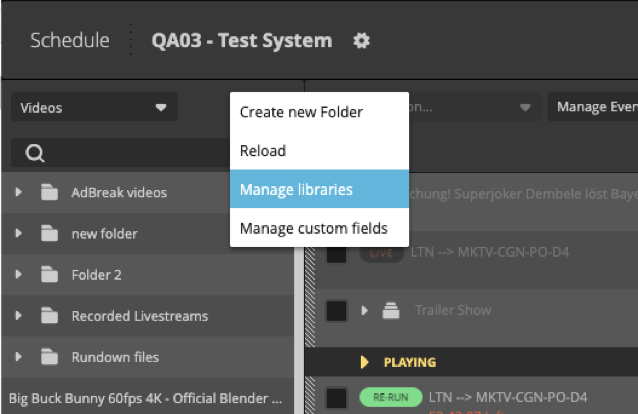
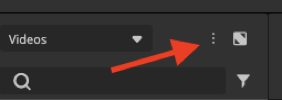
Under the the Additional Settings menu (three dots), you can find the option to manage your libraries.
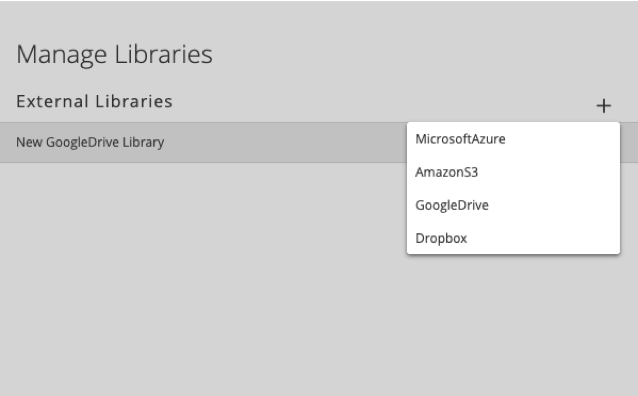
You can add external libraries like:
- AWS S3
- Microsoft Azure Blob Storage
- Google Drive
- Dropbox
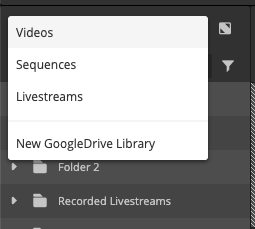
After you've entered your credentials to access the external library, all external files are scanned and the new library is shown within the library drop-down menu as new file source. Now you can pick media from this library and move the footage into your Schedule rundown. Files used from external libraries are always copied to the Schedule system.