
About: With bulk actions, you can perform an action on multiple selected assets at the same time.
Hint: Hold SHIFT when checking the last element in a range to check all elements in between.
Not sure how to start?
→ Learn how to build a playlist.
Bulk actions
To perform bulk actions:
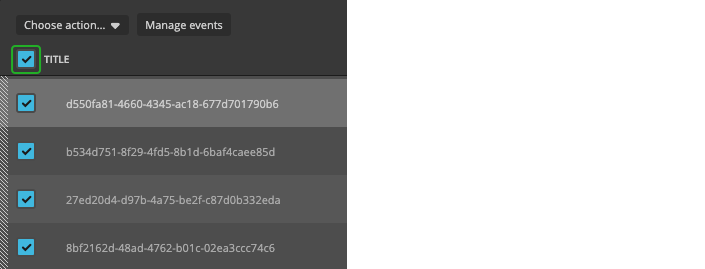
- Check the checkboxes of several playlist elements.
- Click "Choose action…".
- Select one of the available options in the dropdown.
The following bulk actions can be performed:
- Create a sequence
- Copy
- Cut
- Remove (available since version 9.0.1)
- Lock/Unlock (available since version 9.5)
If you select the top checkbox next to "Title", all elements in the playlist will be selected. Clicking it again will uncheck all elements.
How to continue?