
About: You can loop elements in the playlist up to an end date and time to create filler elements in your program. Setting an end date and time moves all following elements accordingly.
Not sure how to start?
Loop a playlist element
To loop a playlist element:
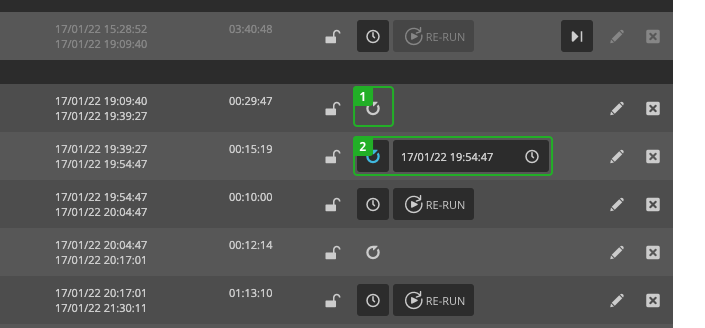
- Press "Loop" on the playlist element.
- Click on the date and time input field to open the date/time picker and define the end of the loop.
Your playlist element is now looped until the selected time and date or cut off at the selected time.
To remove the loop, press the "Loop" (1) again.
Alternatively, you can loop playlist elements by editing:
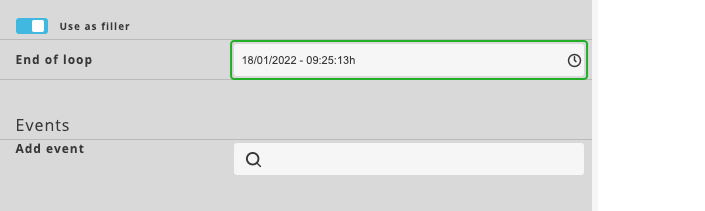
- Enable "Use as filler".
- Select the end date and time of the loop.
How to continue?