
About: Give colleagues and coworkers access to your LTN Schedule instance by adding a new user and assigning the appropriate role.
Create a new user
To create a new user:
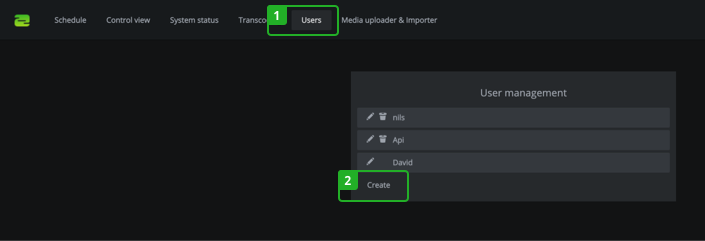
- Switch to the "Users" tab in the navigation.
- Click "Create".
In the form, follow the instruction below:
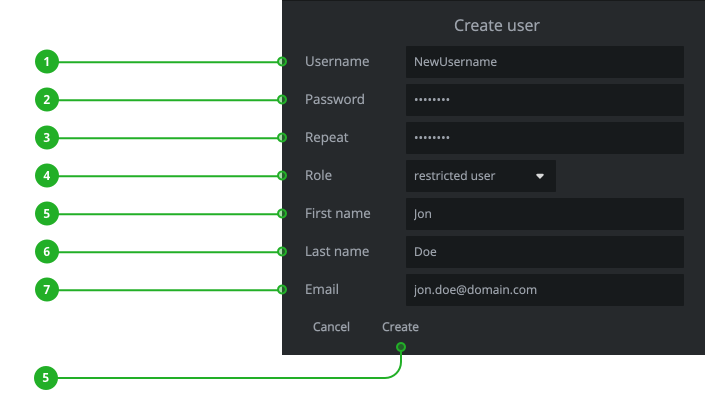
- Enter a username.
- Enter the password in the password field.
- Repeat the password in the password repeat field.
- Select a user role.
→ Learn about the different user roles. - Enter first name.
- Enter last name.
- Enter an email address.
- Click on "Create".
How to continue?
→ Learn how to change your password.