
About: A video sequence contains all the selected elements including all metadata and ad-events. A video sequence folder can be dragged into the playlist. A sub-playlist is then created that contains all elements from the video sequence folder.
Not sure how to start?
→ Learn how to build a playlist.
→ Learn how to use bulk actions.
Create video sequences
To create a video sequence:
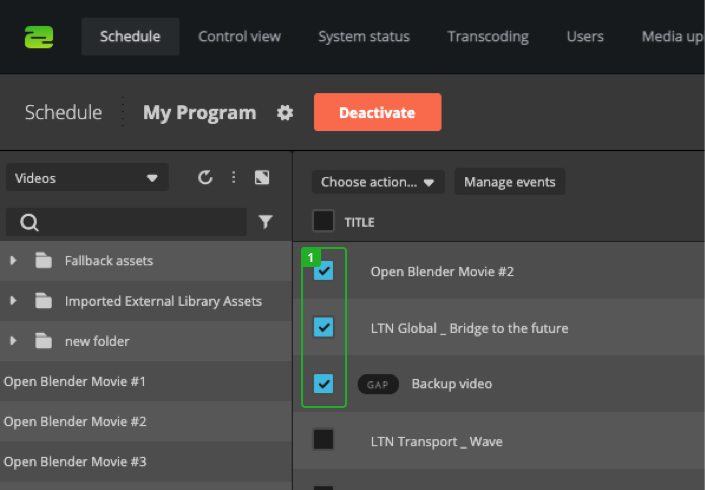
- Check multiple items from the playlist.
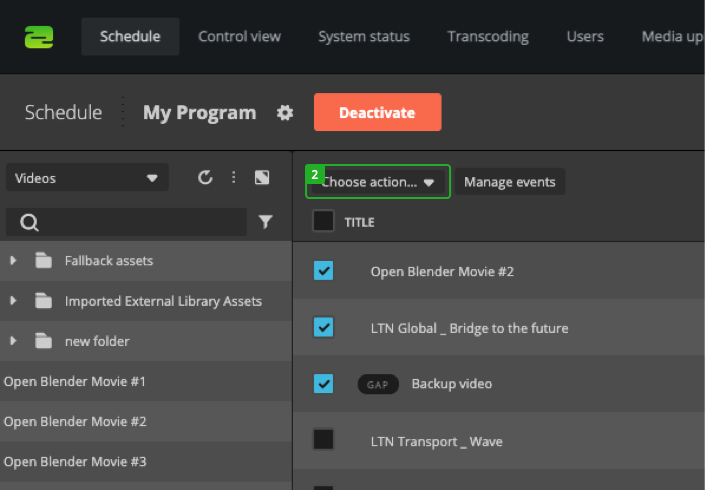
- Click "Choose action".
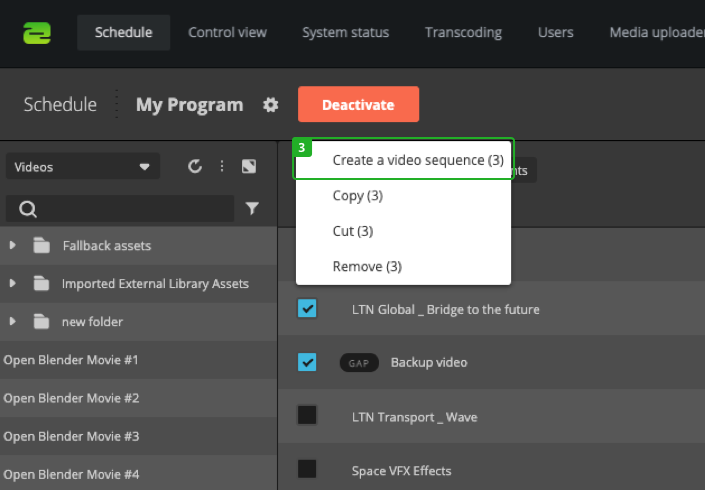
- Select "Create a video sequence".
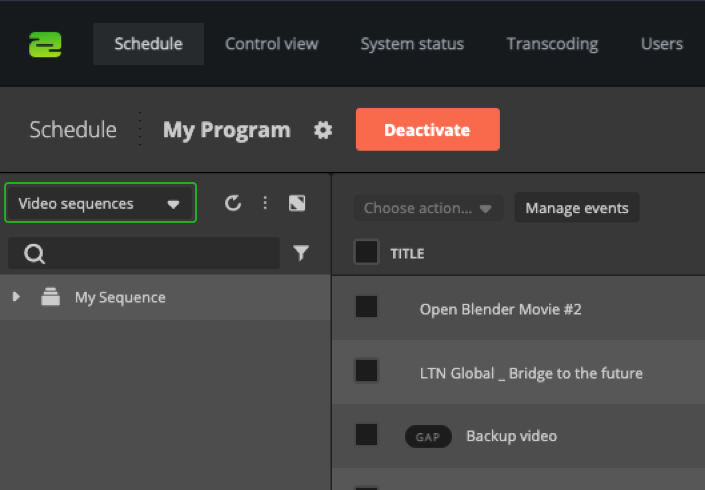
After you created a video sequence, you can find it in the "Video sequences" section in your library.
Use video sequences
To use a video sequence in your playlist you can simply drag and drop it into position (1). When placed in the playlist it will behave in the same way as a folder (2).
How to continue?
→ Learn how to edit assets in the library.