
Release date: July 28, 2021
The Live Video Cloud release v1.34.8 introduces new capabilities to ingest, customize, and monitor live video streams.
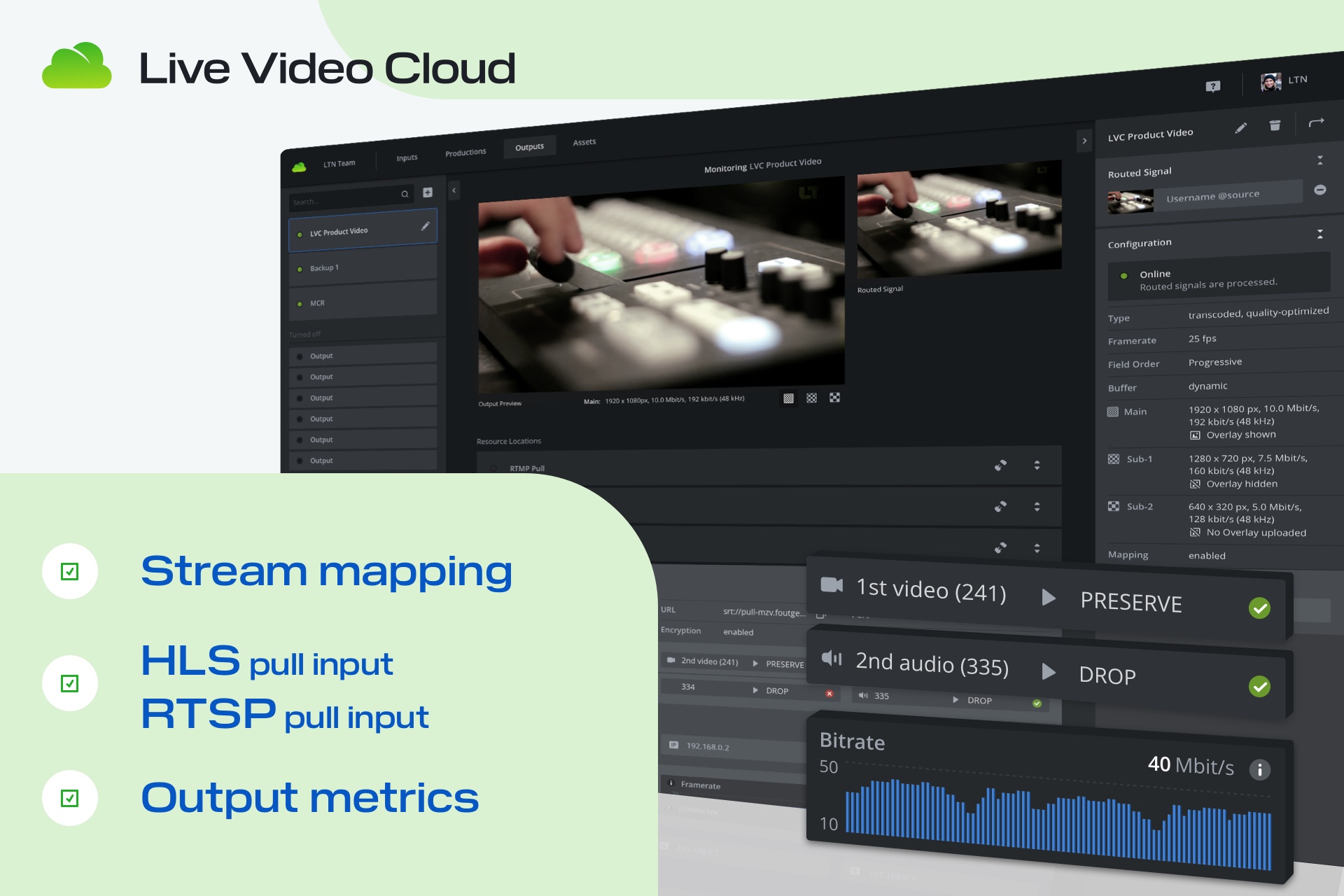
Enabled upon request
The following features are available upon request. If you are interested, please contact us via support or your contact person at LTN Global.
- *new* Stream mapping – Unique ability to condition streams for takers in a simple way
- *new* HLS pull input – Commonly used protocol for live streaming
- *new* RTSP pull input – Ingest live streams from sources like traffic and tower cams
Enabled by default
Additionally, the following features and improvements are automatically available to any Live Video cloud team.
- *new* Output metrics – Enhancing monitoring capabilities, making sure streams are delivered reliably
- *new* Use the same RTMP, SRT, HLS, RTSP input in multiple active productions
- *new* Update the fixed input buffer while an input is online
- *new* Transcode up to 1 video and 8 audio streams with a single transcoded output when using stream mapping
- *new* Unsupported codecs by certain destinations are communicated as erroneous when using stream mapping
- *new* Improved frontend performance
- *new* API level control for all introduced features
Stream mapping
Transcoded and passthrough outputs now have the capability to customize routed streams per output, resource location, and destination. Stream mapping allows removing or reassigning packetized elementary streams of a routed MUX to specific PIDs.
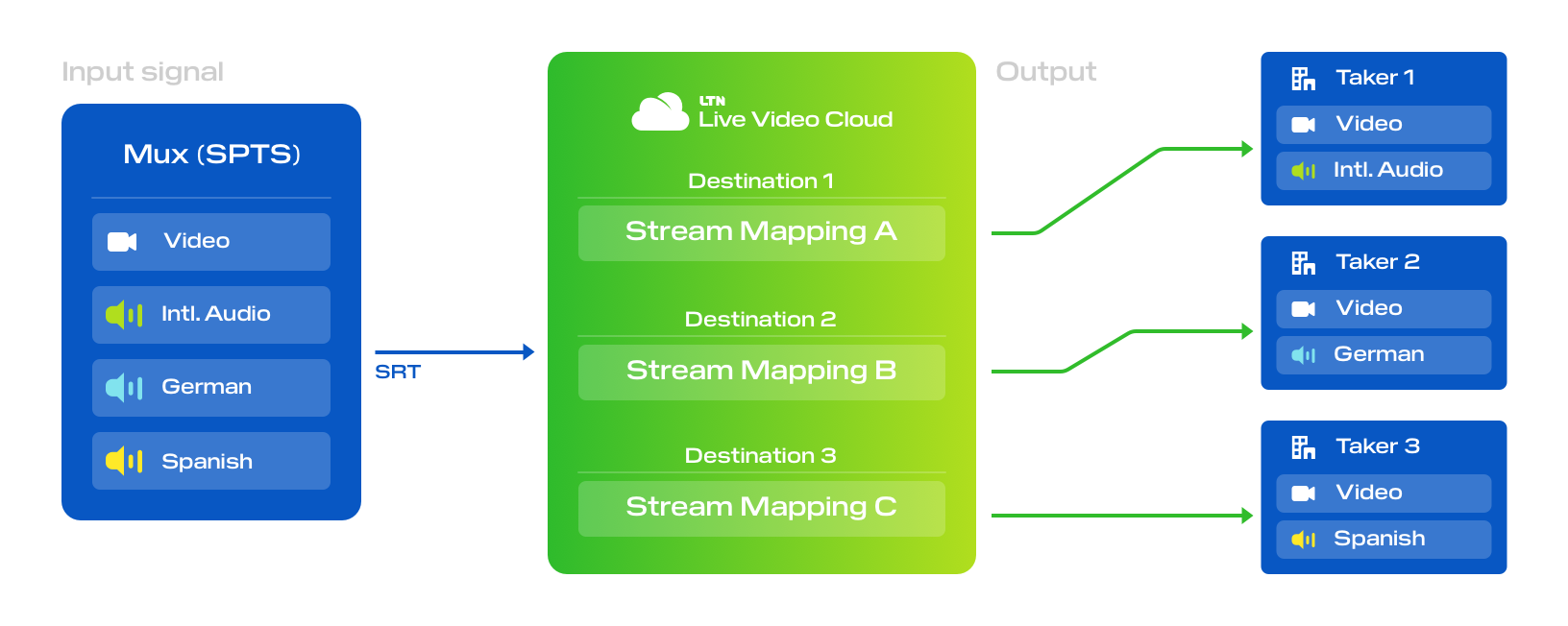
Example: Ingest one MUX containing multiple audio streams with different language commentary and select which audio stream(s) a given destination or taker should receive.
Learn more about stream mapping.
HLS & RTSP pull input
You can now ingest live streams from HLS and RTSP sources like weather cams, traffic cams, tower cams, and other web stream sources.
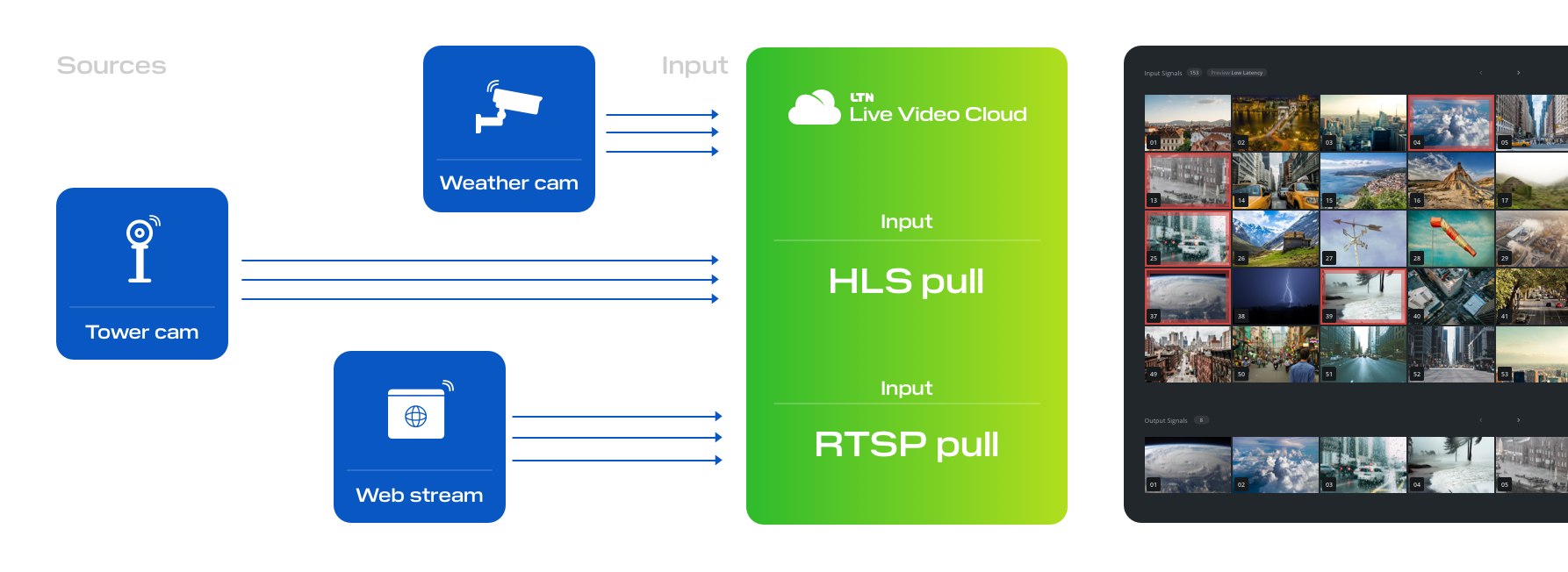
Example: Collect feeds from various HLS and RTSP sources and monitor them in a single multiview. Route content as needed to newsrooms and control rooms for use in live production. Or use segments of automatically recorded content in post-production workflows.
Learn more about HLS and RTSP pull inputs.
Output metrics
Transcoded and passthrough outputs now provide real-time metrics for each outgoing connection. See connectivity metrics like bitrate per RTMP, SRT, or social destination as well as per connected client to an RTMP, HLS, SRT, MPEG-TS via TCP resource location.
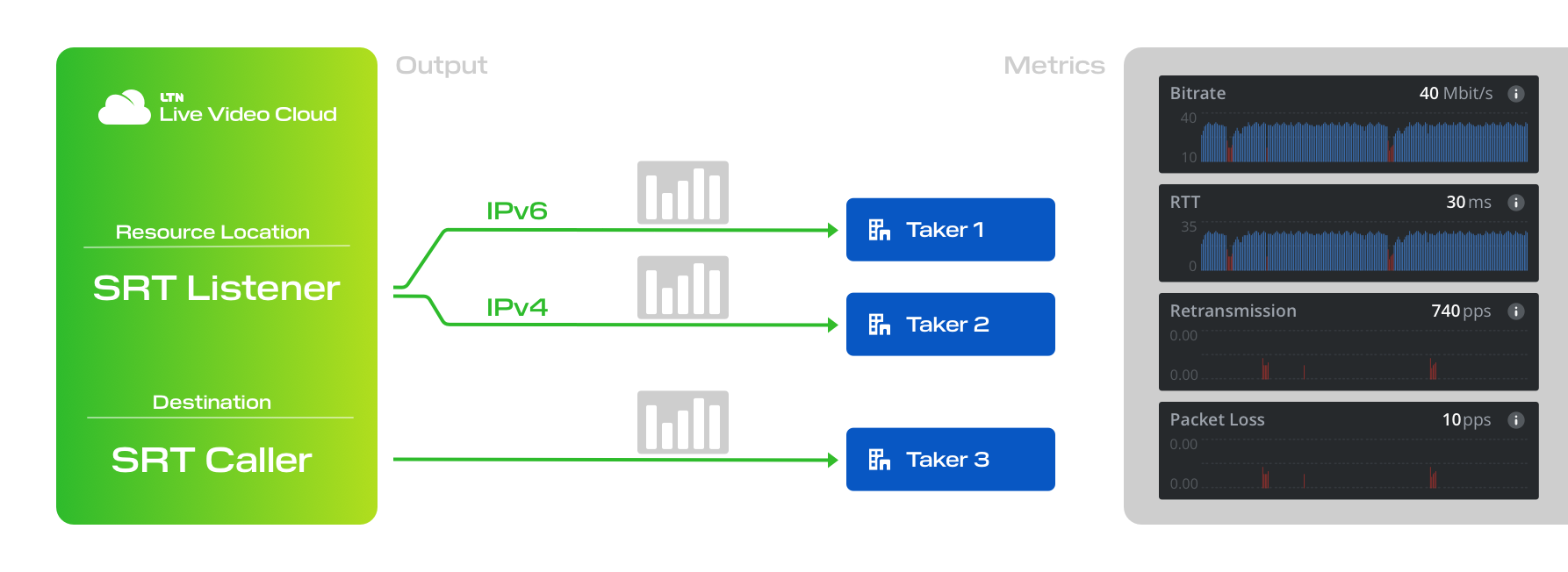
Example: Ensure connections for each receiver are stable and quickly identify flawed connections to troubleshoot. Identify which IPv4/IPv6 addresses are connected to your resource locations and currently consuming content.