
About: Inputs represent ways to ingest live signals into Live Video Cloud for automatic live recording, routing, optional processing, and distribution. Inputs provide real-time connectivity metrics on ingested signals. Ingested signals are automatically recorded and available as assets.
Input view
To open the inputs view:

- In the top navigation, click on "Inputs".
The inputs view consists of three main areas:
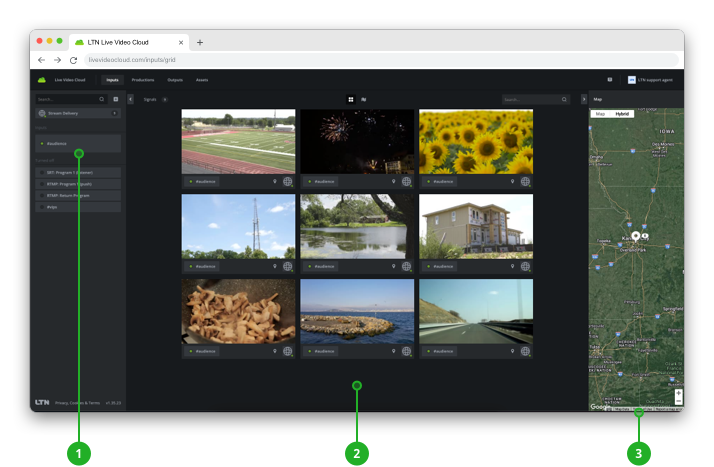
- Input selection: Lists all configured inputs for selection.
→ Learn how to select inputs. - Signal exploration: Displays visual previews of the ingested signals.
→ Learn how open signals.
→ Learn how to route live signals. - Inspector: Displays configuration and real-time information of the input, live signal, or any selected element.
→ Learn how to inspect inputs and live signals.
Explore signals
Ingested live signals can be displayed in tile and map mode. Each mode emphasizes different information. In any view, double-click a live signal to open.
Tile
In tile mode, live signals are displayed with emphasis on the visual preview and the related input:
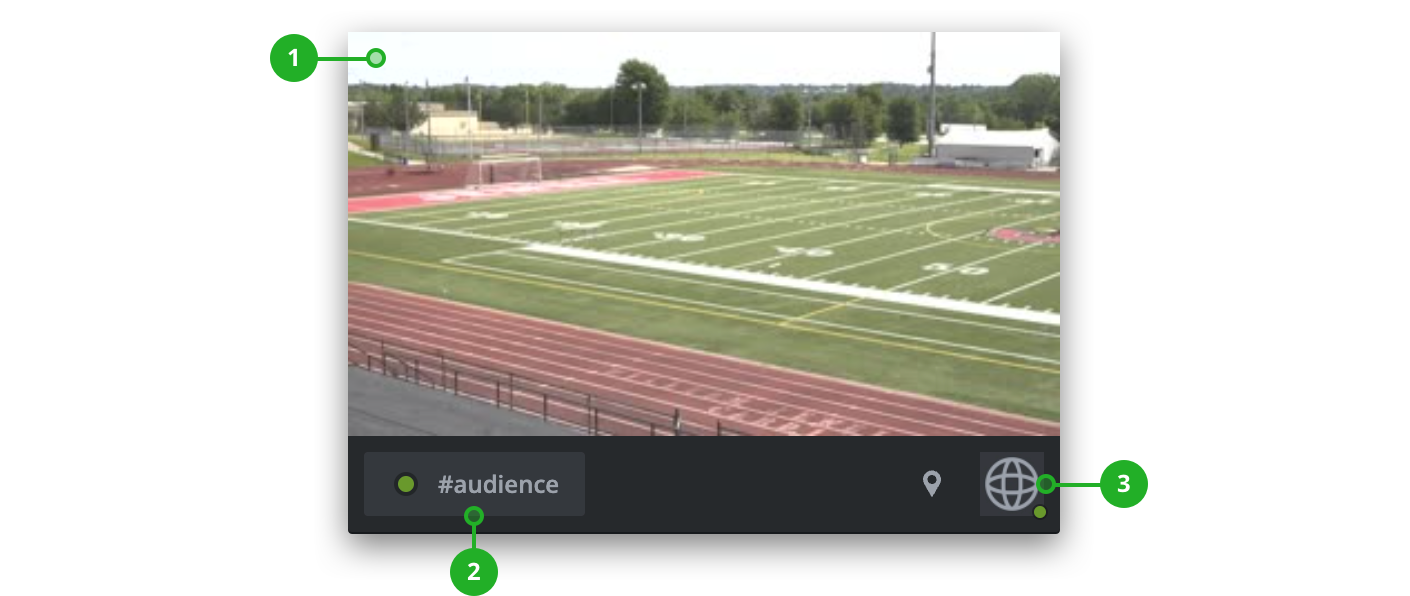
- Thumbnail: Shows the latest generated static preview of the signal. Thumbnails are updated periodically. If the live signal is routed to an output, the thumbnail shows a red tally light frame.
- Input: Shows the related input with status and name.
- Metadata: Shows additional available metadata information like the user, if the stream is coming from an external device or geo-location.
Left-click a live signal to select it and get real-time connectivity metrics and configuration information.
→ Learn more about inspecting inputs and live signals.
Double-click a live signal to open it, get a larger live preview, and options to create routings or transfer segments of the recordings.
→ Learn how to open live signals.
Map
If live signals have geo-location information based on their configured input or web contribution source, they are displayed on the map as location pins.
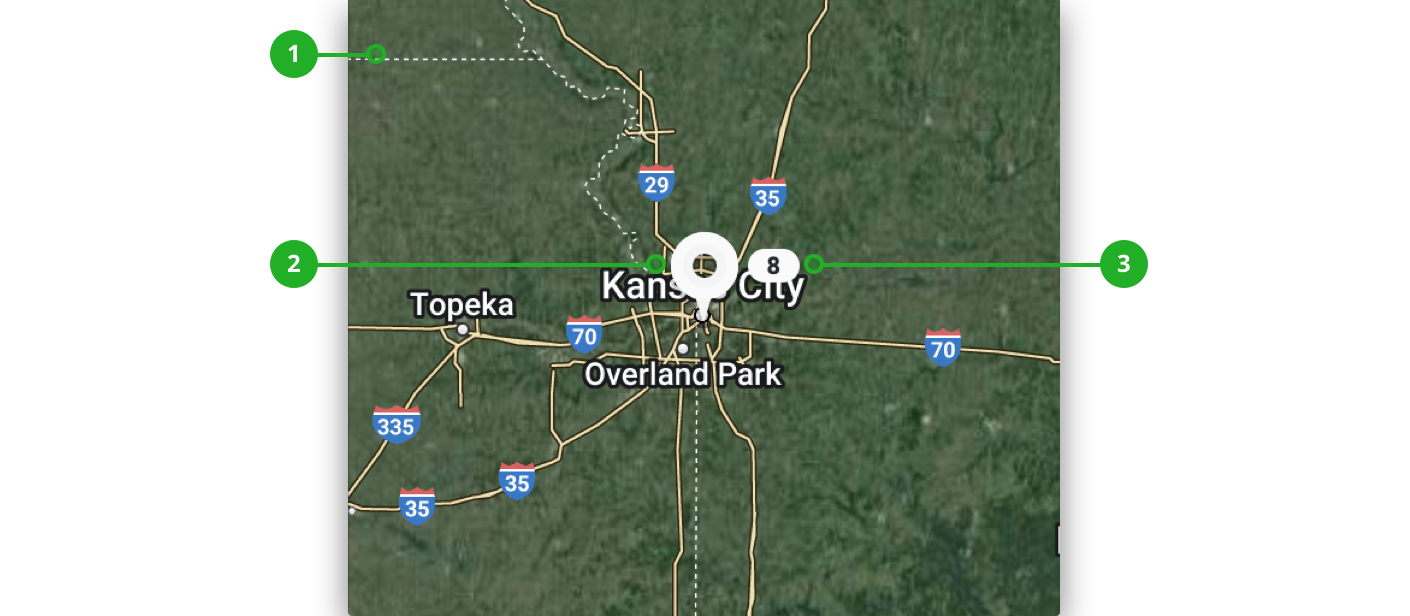
- Map: Shows a map that can be moved around holding the left mouse cursor and zoomed in and out.
- Pin: Marks the geo-location a signal is ingested from.
- Number: If multiple signals are coming from the same location, those will be summed up and the amount of signals is displayed.
How to continue?
→ Learn how to inspect input and live signals.