
About: Selecting inputs provides access to configuration and real-time monitoring information.
Not sure how to start?
Select an input
Before being able to select an input, you may need to create one.
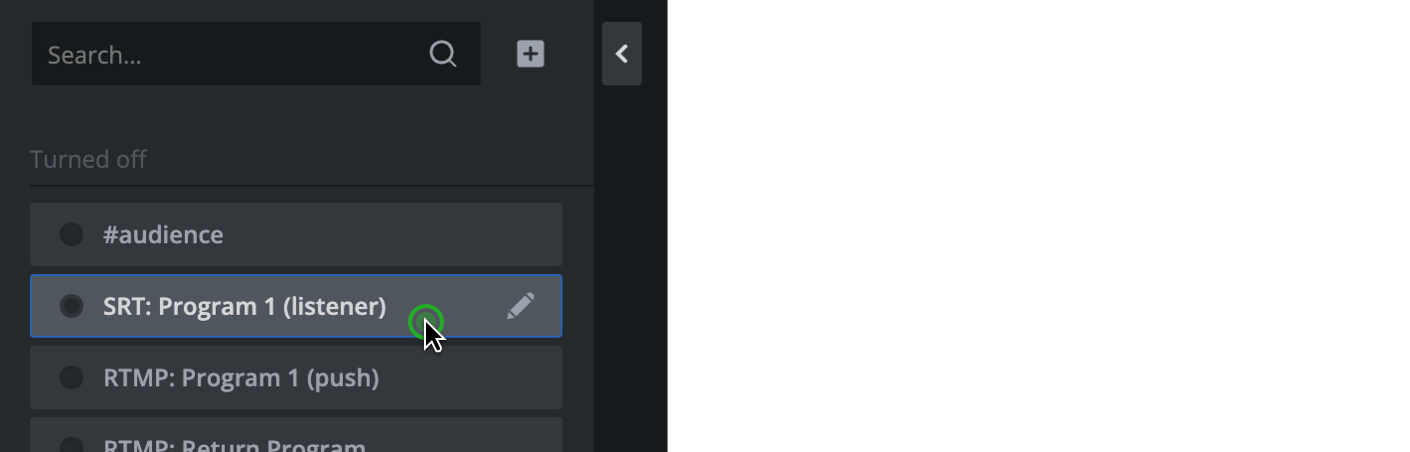
The input selection lists each input with:
- Status: The status of the input.
- (Optional) Indicator: Shows which signal is active: Primary or Secondary if failover is enabled on the input.
- Protocol: The protocol type of the input.
- Name: The configured name of the input.
- Edit: Placing your mouse cursor on an output element reveals the edit button.
To select an input:
- Go to inputs.

- Optionally, use the search to quickly filter the list of displayed inputs to find a specific input by name.

- Left-click on input to select it and reveal the configuration and live information of the input.
How to continue?