
About: Turn on/off destinations to enable or disable them for publishing your scheduled rundown.
Hint: You can turn on/off destinations while your rundown is running and publishing has been started. You can only edit destinations while it is offline or enabled, not while it is publishing.
Not sure how to start?
→ Learn to create destinations.
Turn on/off destinations
To turn on/off a destination, go to "Schedule" in the top navigation:
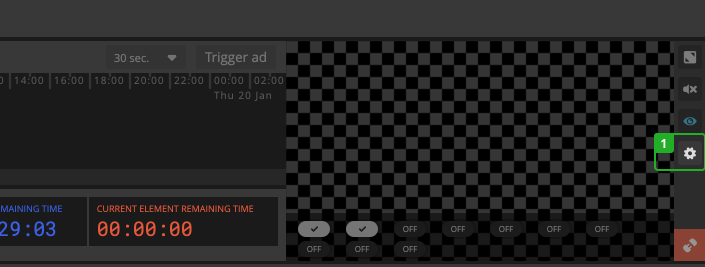
- Click "Configure destinations" in the bottom left corner next to your output preview.
In the dialog:
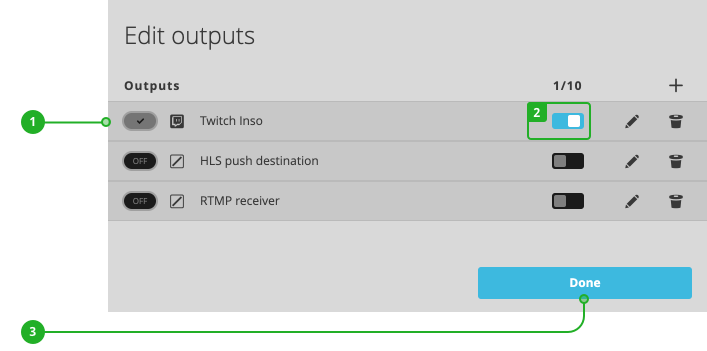
- Status: Displays the current status, which can be offline, enabled, online, or error.
- Enable/Disable: Press the switch to enable or disable the destination.
- Close the dialog by pressing "Done".
Offline destinations are deactivated and will not publish.
Enabled destinations will start publishing once you activate your rundown and start publishing.
Online destinations are currently publishing.
How to continue?
→ Learn to activate/deactivate your rundown.