
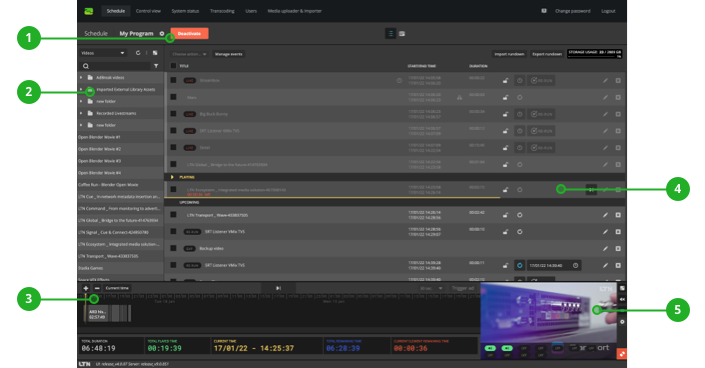
- Control button to Activate/Deactivate Schedule.
- The Library contains all available videos which you can use in your rundown.
- The Timeline offers helpful information like total length of schedule and remaining time until the next clip.
- The rundown is where you create and modify your schedule by simply dragging and dropping your videos from the Library.
- Use the Output Preview to monitor the current video and which outputs are live.
For details on specific topics see: