
About: The Inspector provides detailed information and available actions of any selected element while being in the "Schedule" tab of the main navigation.
Hint: The inspector will automatically switch to the next asset while open when the playing element is changing.
Not sure how to start?
Inspect library assets or rundown elements
To inspect any library asset or rundown element, simply left-click on it once to open the inspector at the right. The inspector provides a video preview, available actions, and metadata information:
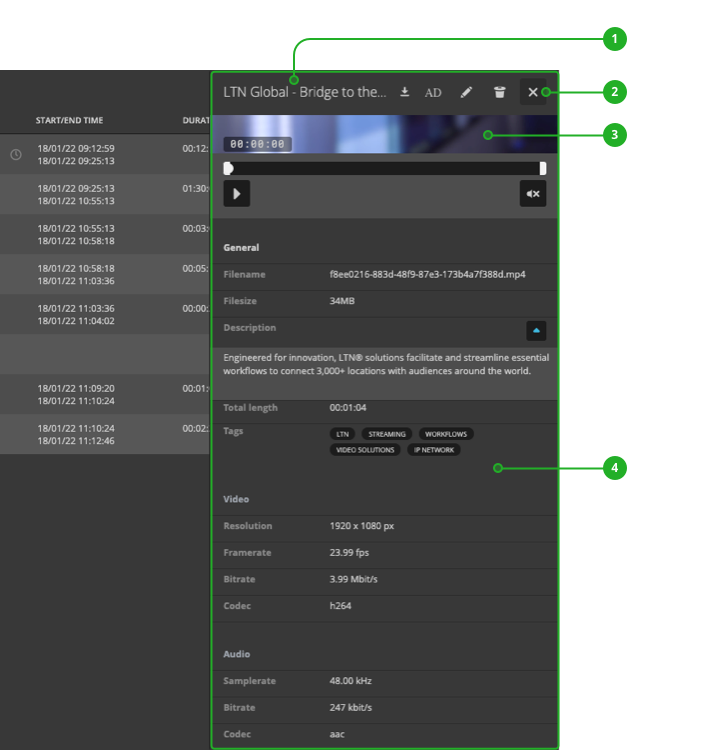
- Header: Displays the name of the selected asset or element and provides available action.
- Close: Click to close the inspector.
- Video preview: Preview the video content as configured.
- Metadata: Displays all known metadata. The specific information available depend on the selected asset or element. Most often it will include information on the tags as well as the video and audio format.
How to continue?
→ Learn how to edit assets in the library.
→ Learn how to edit assets in the rundown.