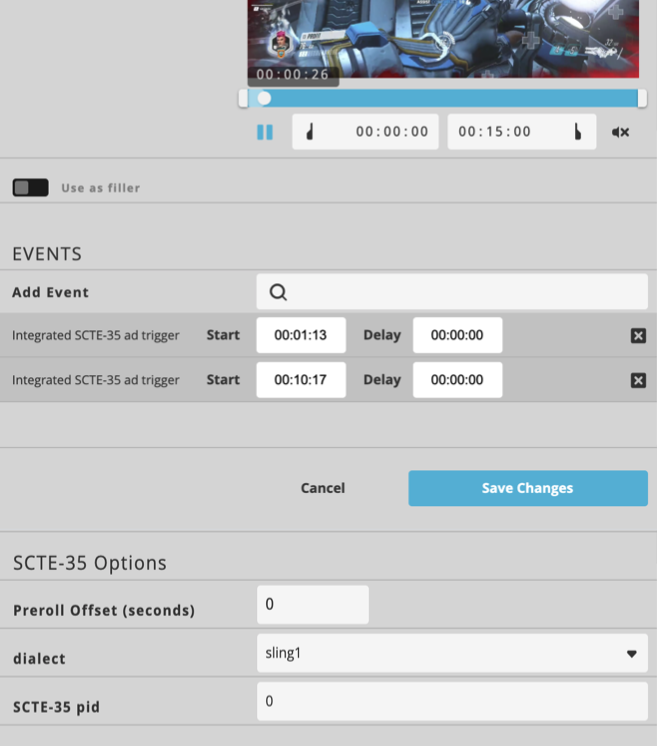
For details on specific event topics see:
Events / VOD Ad Breaks
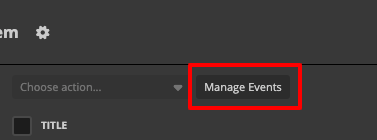
Before you can place ad-events into your videos, you must first pre-configure these events. To do this click on the “Manage events” button on the upper left side of the Schedules' interface and then the "plus button" to create a new event.
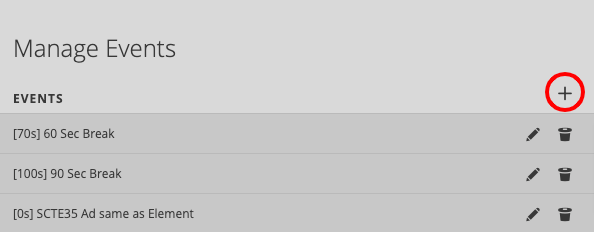
Here you can configure new events, such as 30-second ad breaks with a 40-second delay, or select specific videos to run as an ad.
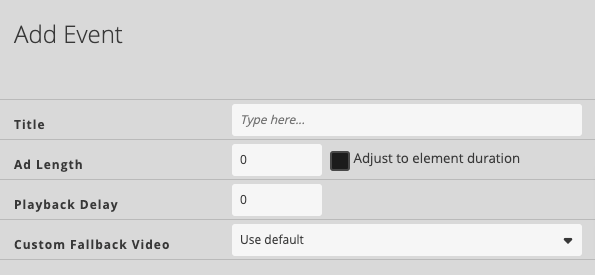
You can configure how long the playback should be delayed while the actual commercial spots are playing. If you set the delay to 0 seconds, the video will keep running even if a mid-roll spot is triggered to the destination platform.
Adjust to element duration: If you check this the element duration will be used for the ad length and the ad length input field will be disabled.
Custom fallback video: You can select a video from the "Fallback assets" folder that is taken as backup for the configured delay time.
→ Learn about events, playback delay, and fallback videos.
Add Events
Now you are ready to schedule your ad breaks within your videos
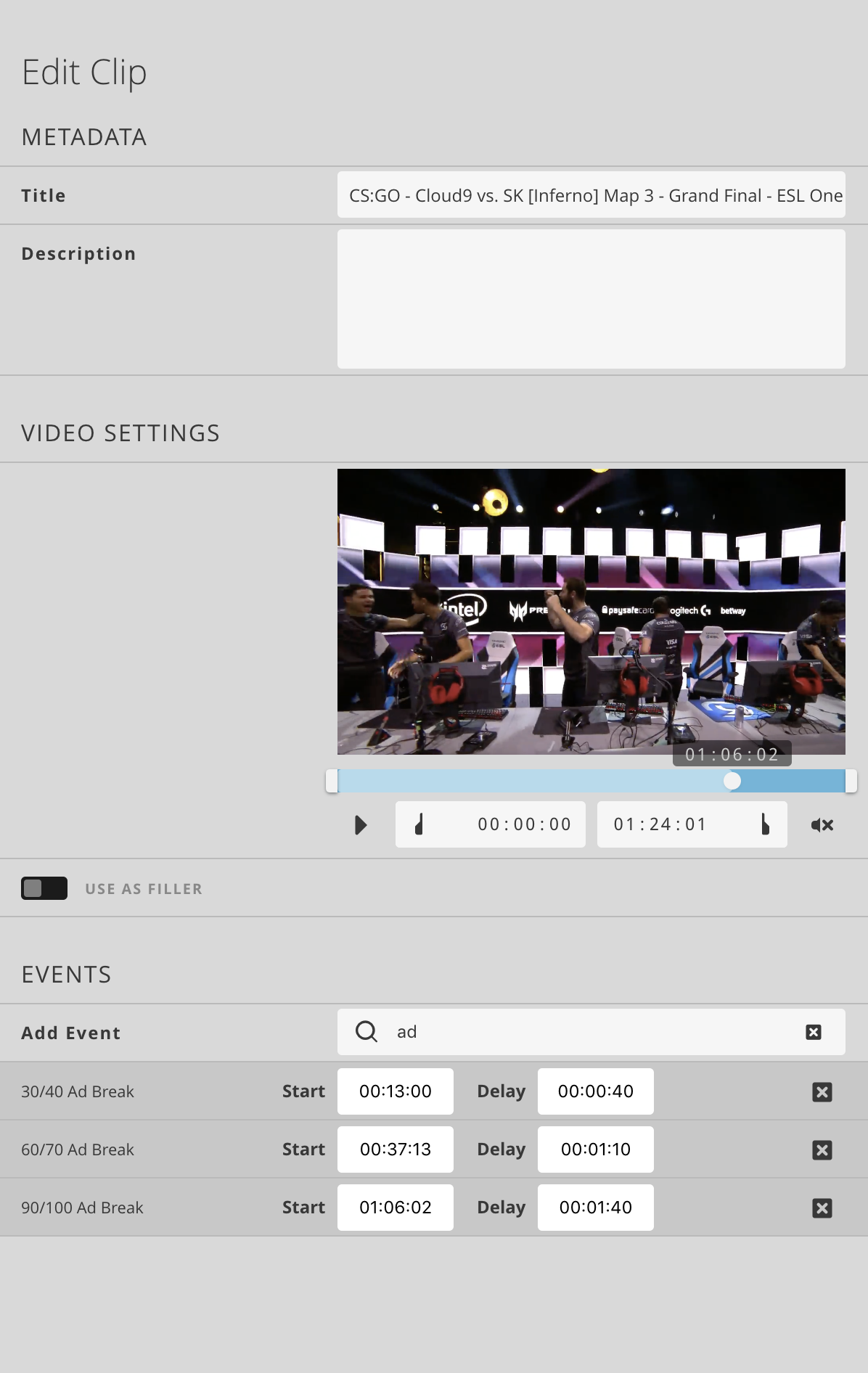
In the Edit Clip configure the positions where your ad-breaks should happen.
Just click on the event you want to use in the list. By clicking on the timecode field the current timecode of the video inspector is used in the field. Resulting the selected ad-event is pulled out by the system when this timecode is reached.
Hint: Clicking on the timecode-field while pressing the ALT-key (Mac) or CTRL-key (Windows) lets you directly enter a timecode.
Trigger Ad Breaks
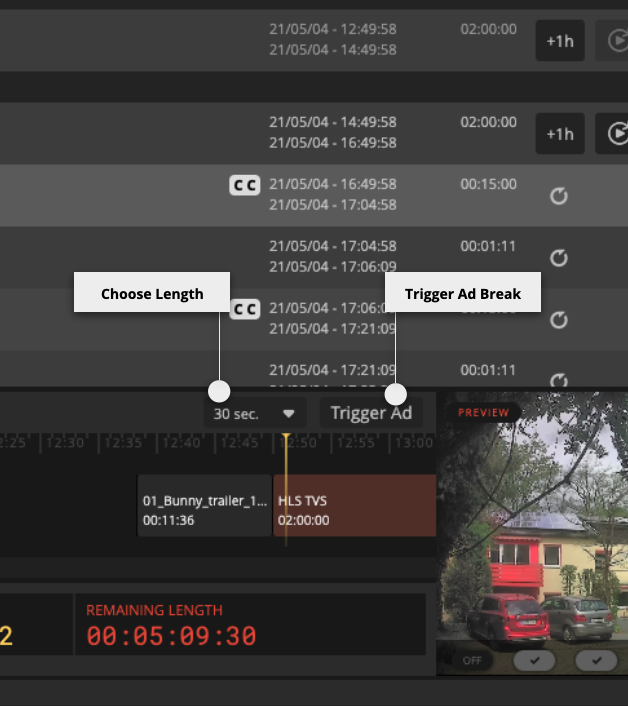
During live streams, you might want to control Ad-Calls manually. By choosing the duration and afterward triggering the event you can do so. The live stream will not be interrupted by triggering an Ad-Break.
The Output-Preview will give you information on the Ad-Break status.
SCTE-35
SCTE-35 events from TS files are recognized within the footage import process.
If you open the inspector, you’ll see the events listed as ad events. Events can now be moved or deleted.
Streams sent out over MPEG/TS targets and HLS targets include the SCTE-35 trigger from the imported TS files.
Attention: The HLS targets don’t include the SCTE-35 manifest events and splice point i-frames (new segments at splice points).